The problem
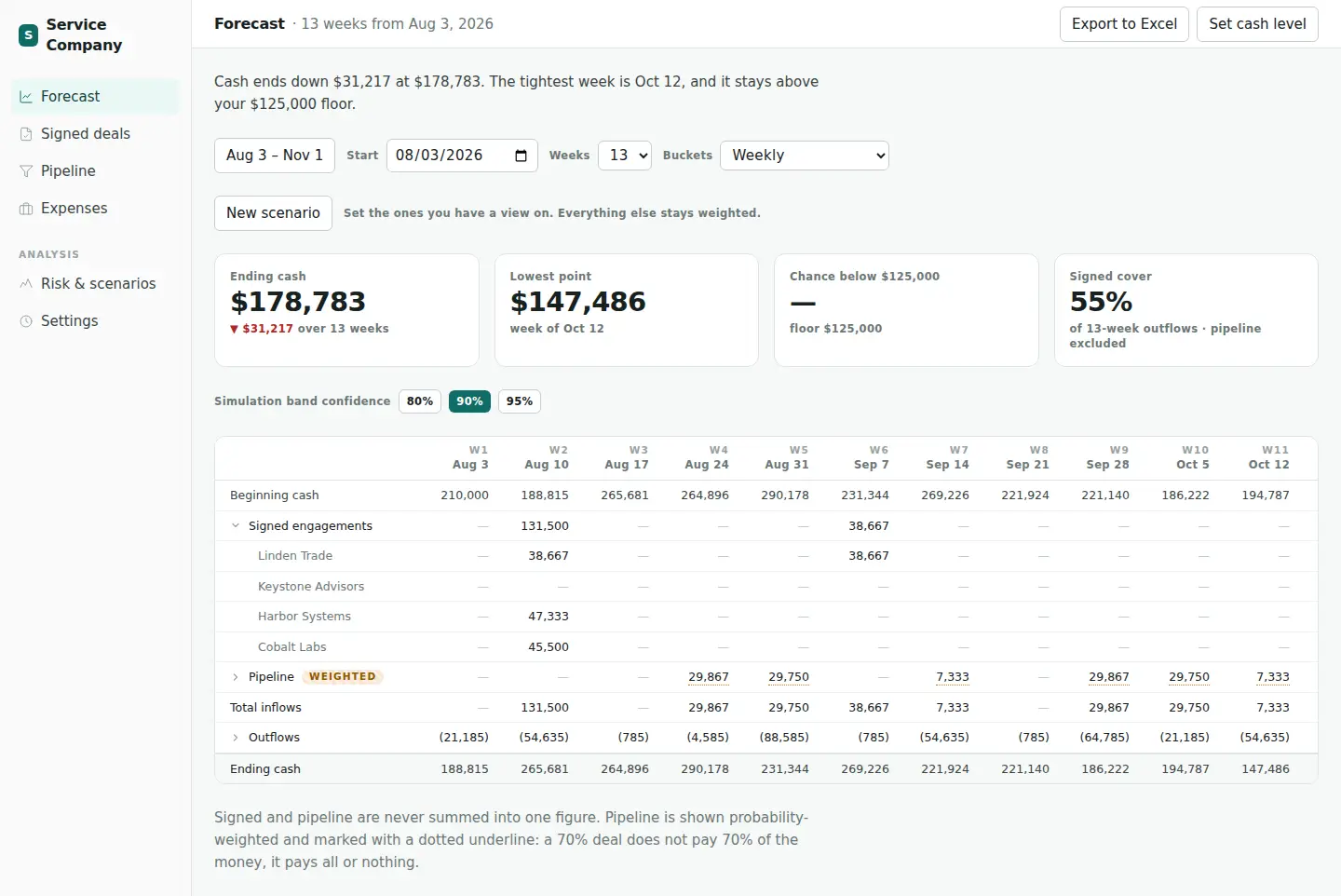
A service company is paid in a few large pieces on dates that depend on contracts, so one late payment can matter more than a month of small ones. A single line for ending cash hides that.
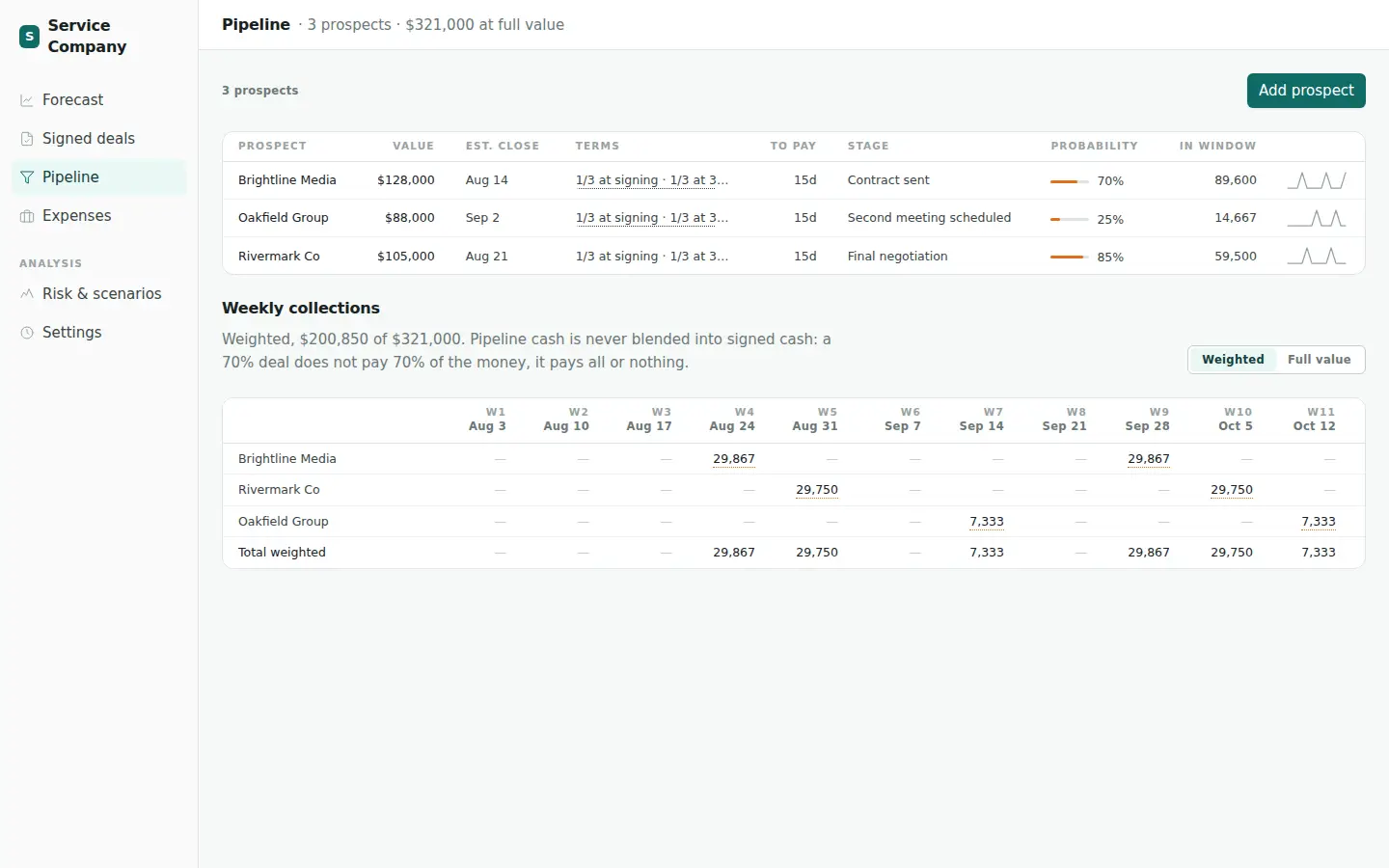
The usual shortcut makes it worse. A deal at 70 percent is entered as 70 percent of its value, but a deal does not pay 70 percent of the money. It pays all of it or none of it. This model never does that sum. Signed cash and pipeline cash are never added into one figure, and pipeline is shown weighted and marked as such.
Inputs
Three lists and a rule for every payment
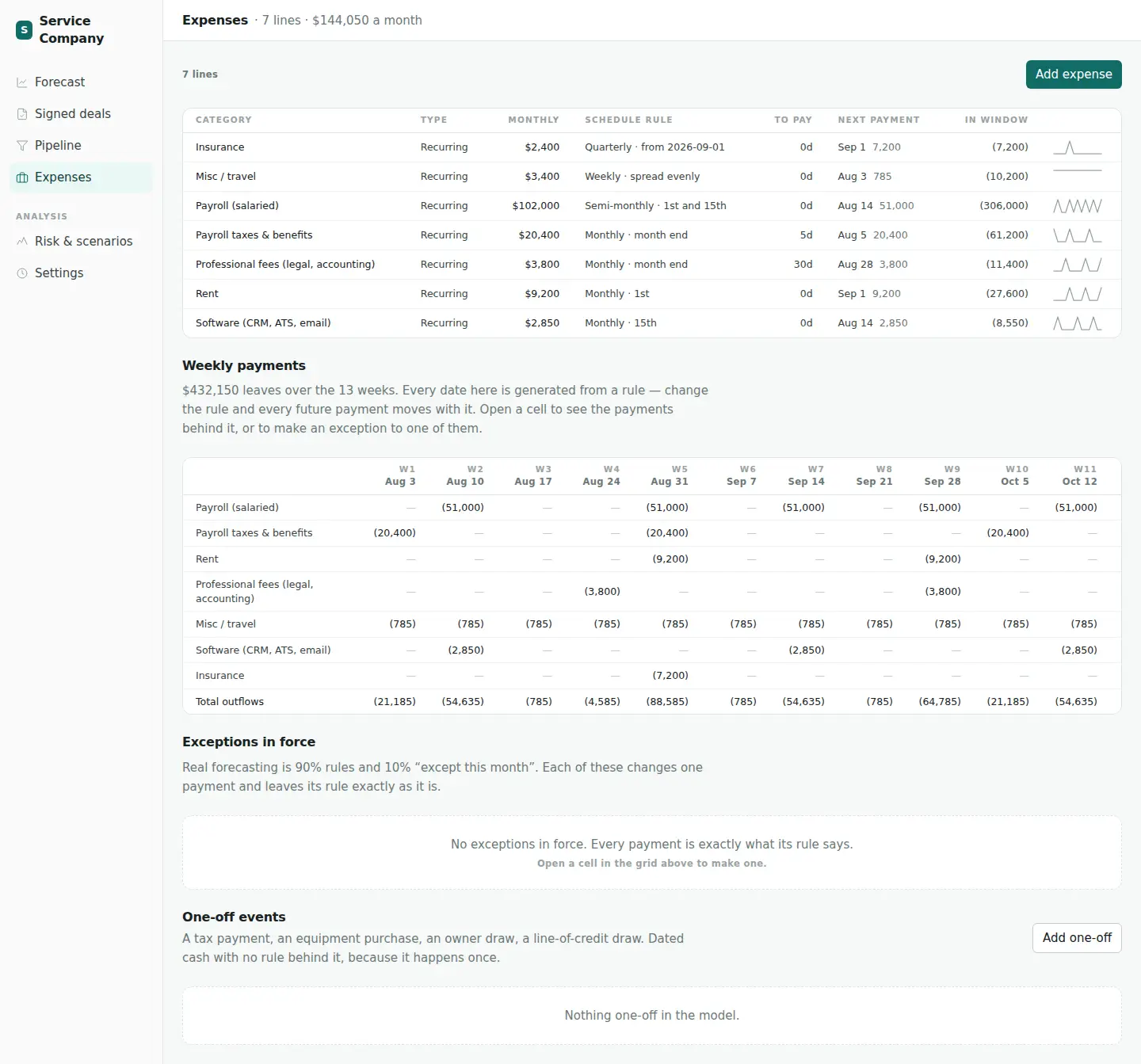
The model has three inputs. Signed deals carry a value, a start date and payment terms such as 50 percent at signing and 50 percent on completion. Pipeline prospects carry the same, plus a stage and a probability of closing. Expenses are recurring costs.
Every payment date is generated from a rule, such as quarterly, weekly, semi-monthly or on the last day of the month. Change the rule and every future payment moves with it. A single payment can still be given an exception when the week does not go to plan.
The grid covers 13 weeks by default. The start date and the length can be changed, up to 52 weeks.
Monte Carlo simulation
The chance of running short, not just a forecast line
Most of the uncertainty is in the pipeline and in when work is finished. A prospect either closes or it does not, and a completion payment can arrive on a different date than planned.
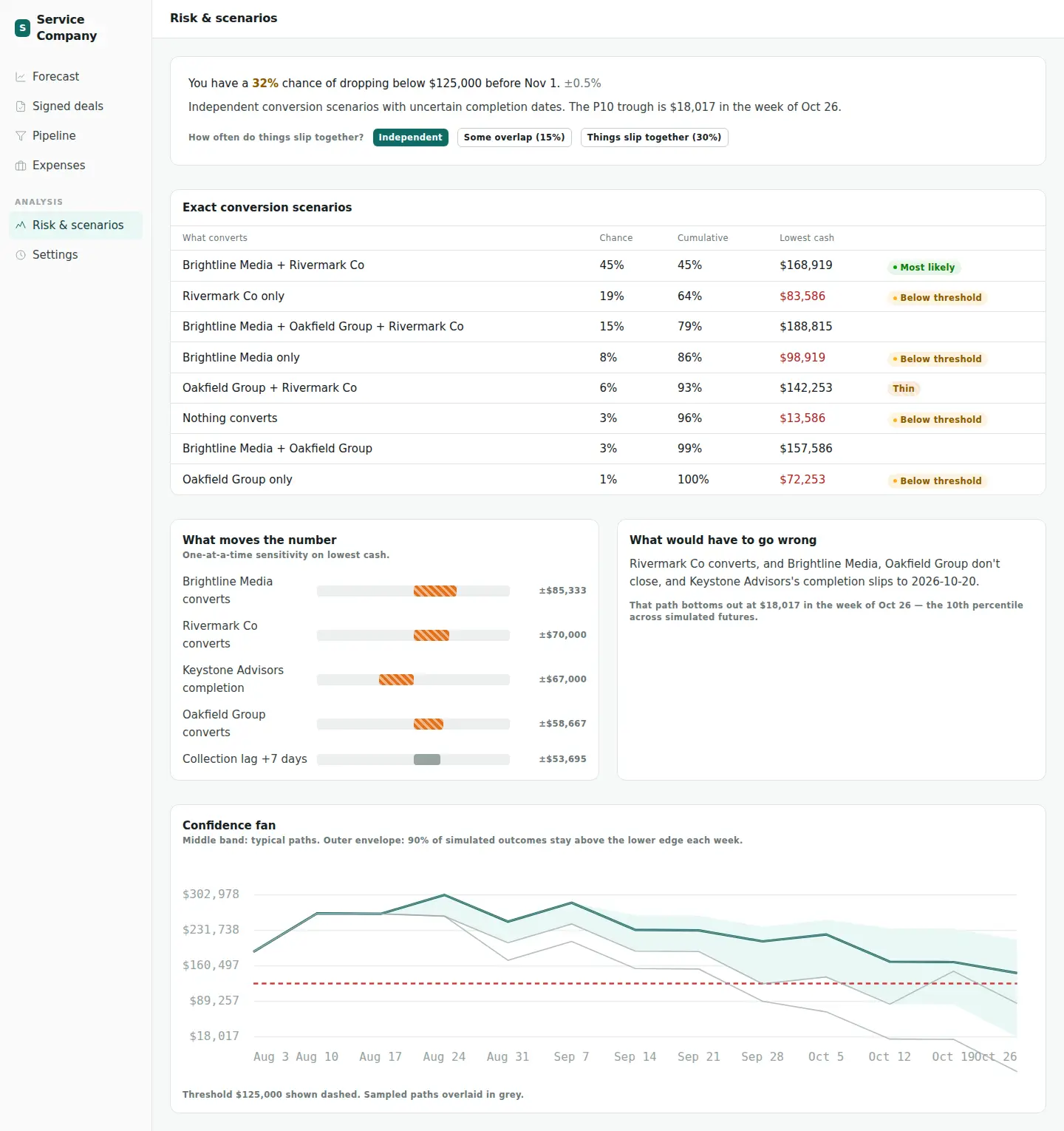
The simulation plays out many possible futures. In each one, every prospect closes or does not according to its probability, completion dates move, and the weekly cash balance is recalculated. The share of futures where cash dips below the floor is the headline number, with its margin of error beside it.
Around that number the page shows every combination of deals that could close with its chance and its lowest cash, which single assumption moves the answer most, and one path that would have to go wrong to reach the bad case. A dial sets how often things slip together, and a band around the forecast shows where 80, 90 or 95 percent of the simulated outcomes land.
Settings
The few things the person running it can change
Each setting maps to a decision a finance lead would make anyway: where the floor is, whether weekend payments move, and how hard to push on the simulation.
- Cash floor
- The minimum balance the business wants to stay above. The forecast and the risk page both measure against it.
- Weekends
- Payments due on a Saturday or Sunday can move to the prior business day. Collections are not shifted.
- Trials and seed
- From 100 to 100,000 simulated futures. More trials give smoother bands and a slower run, and the same seed reproduces the same result.
- Slip correlation
- From 0 to 30 percent: how often things slip together rather than one at a time. It sets the starting position of the dial on the risk page.
What the Excel export gives
Export to Excel downloads the model as a workbook, not a snapshot of numbers. The projection, collections and expenses sheets are built from formulas that point at three input sheets, so the forecast can be reviewed cell by cell, changed in Excel and reused outside the browser.
Rolling Cash Flow Projection
The weekly forecast, beginning to ending cash
Collections
Every inflow, week by week
Expenses
Every outflow, week by week
1. Signed Engagements
Input: contracted deals and their payment terms
2. Pipeline
Input: prospects, stages and probabilities
3. Expenses
Input: each cost and the rule that schedules it
Screenshots are of the live app at cashflow.selveyknight.com.