
 Shopping
 Job search
 Todo
Todo Vault
Vault Learn
Learn News
News Goals
Goals You
You Dev
DevHow Dash gets built
The Dev workspace is where the app plans its own work. Bug reports, ideas and the build plan live there as rows like everything else, and Claude Code sessions read and write them as they work. I decide what gets built and answer the questions that come back. Writing the code, checking it and shipping it is mostly Dash.
01
Idea
Typed into the header, left as a comment on any page, or filed by a session that noticed something. Ideas are scored against each workspace's vision every day.
02
Plan
Dash shapes an idea into a feature: steps, a done-when for each, a size, and who does it. I approve it, or turn on auto-approve and let it go straight to the queue.
03
Build
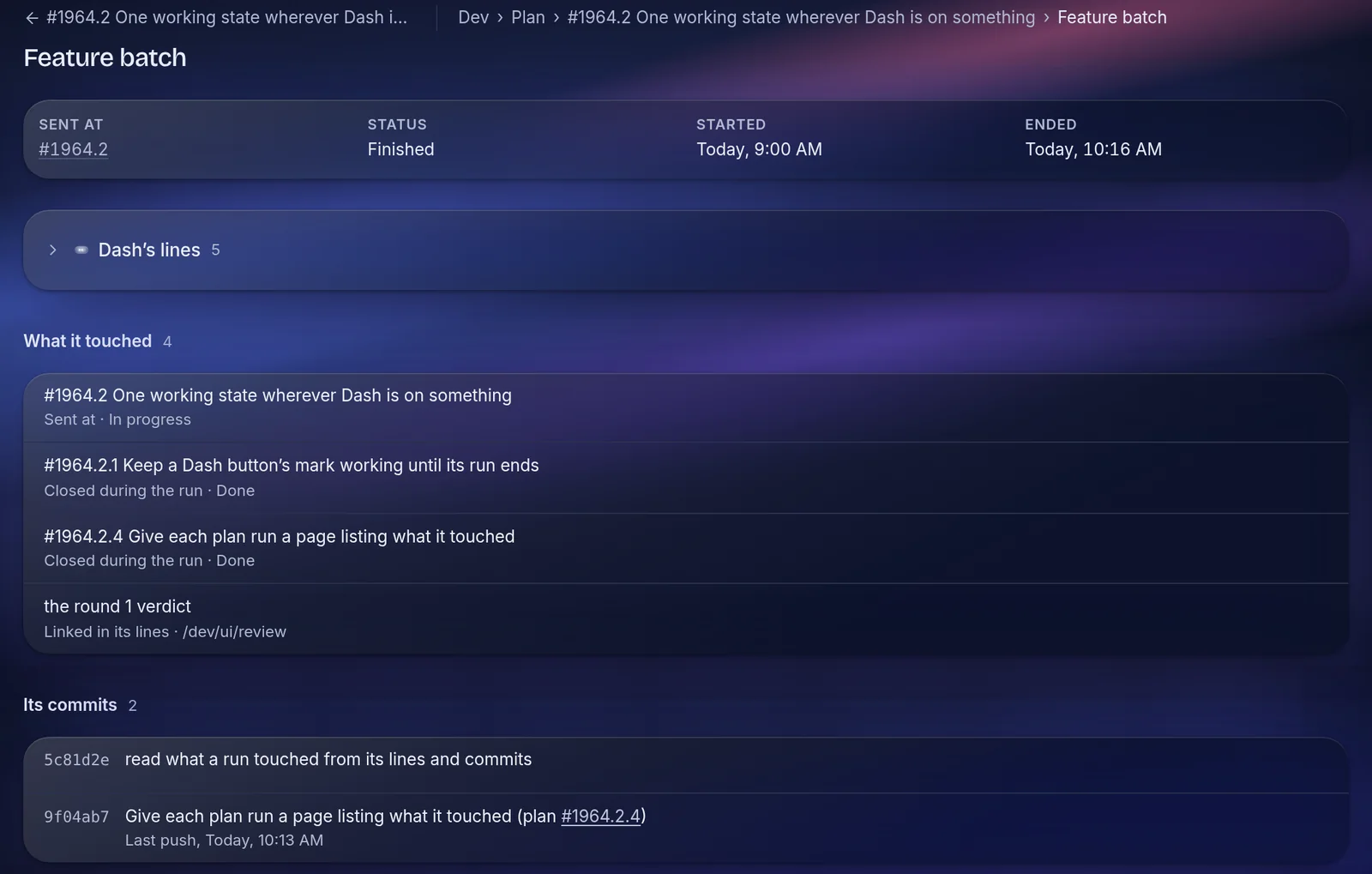
A session takes the feature and hands each step to its own subagent. Overnight, a runner keeps three of these going at once.
04
Check
Every changed screen is photographed at phone and laptop width in light and dark and has to pass a design critic. The code has to pass the same gate CI runs.
05
Ship
The feature merges to main, the changelog gets a line, and anything Dash couldn't decide comes back to me as a question.
The plan
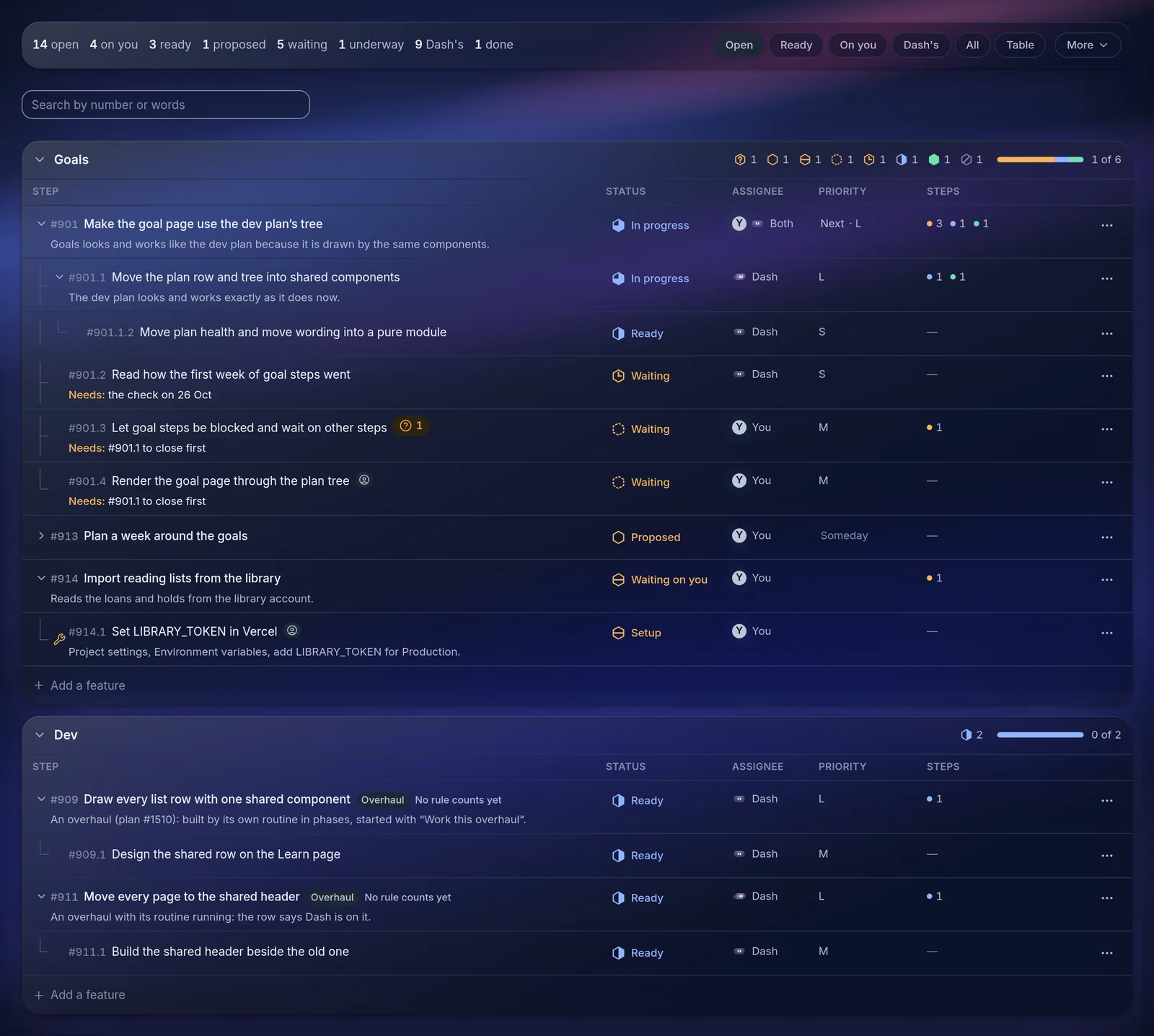
Every feature is a tree of steps with a done-when
When I ask for an idea to be shaped into a plan, a session reads the code and the workspace's written vision and proposes a feature: the steps, what each one has to show to count as done, a size, and whether it is a build, a decision for me, or a setup step only I can do.
Nothing is built until the feature is approved. Steps that depend on each other say so, and a step that turns out to be blocked records why.
Overnight
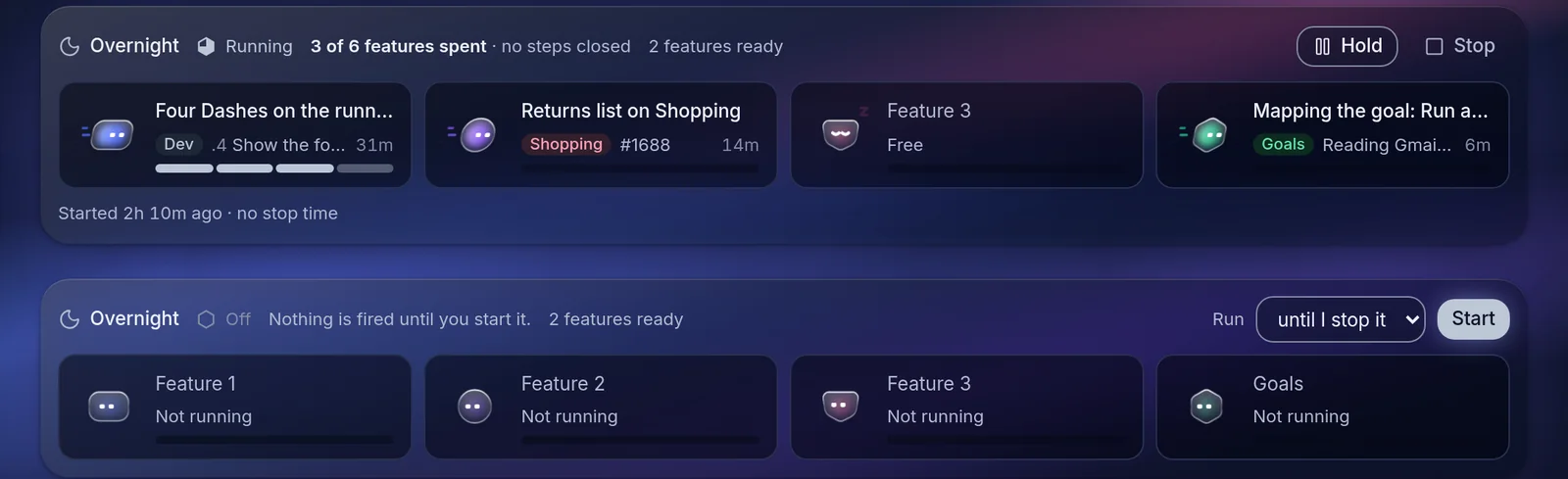
Three features at a time while I sleep
Before bed I set a budget and a stop time and press start. Every few minutes a scheduler checks the running sessions against their pushes to GitHub, replaces any that have gone quiet, and keeps three going, usually one per workspace so they don't collide.
Each session works one feature. It plans the order, hands each step to a subagent, and merges only after the full gate passes: typecheck, build, lint, contrast and layout checks, the spec counts, and every test, including the ones against a real database.
Design review
A critic looks at every screen before it ships
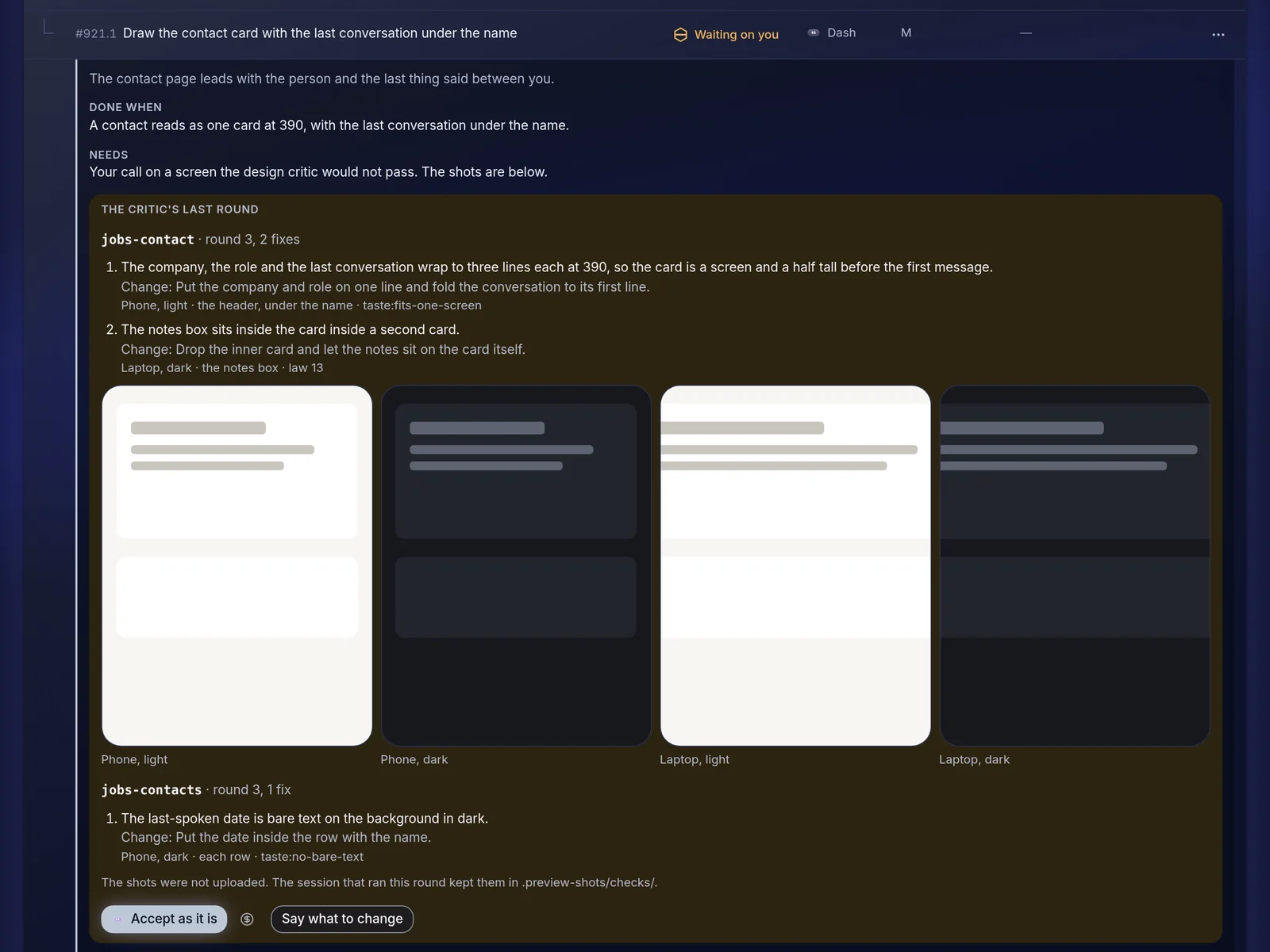
Screens are drawn in a preview gallery of about 740 surfaces filled with sample data. When a step changes one, the session photographs it at phone and laptop width, in light and dark, and a separate critic agent answers pass or returns a list of fixes against the app's written design rules.
The rounds are saved. I can accept a screen as it is or say what to change, and that becomes the next round.
Comments
Mention @dash on any row and it acts on it
Every plan row, bug and idea has a comment thread. Writing @dash there gets an answer, and if the comment asks for a change, Dash can file an idea, add or reword a step, or send a step to be built. Each action is logged under the comment and can be undone.
Routines keep the rest moving: a weekly review of each workspace's vision, a weekly audit of the code against its specs, a queue that works through my bug reports, a morning digest of what changed, and draft posts about what shipped, which go out only after I confirm them.
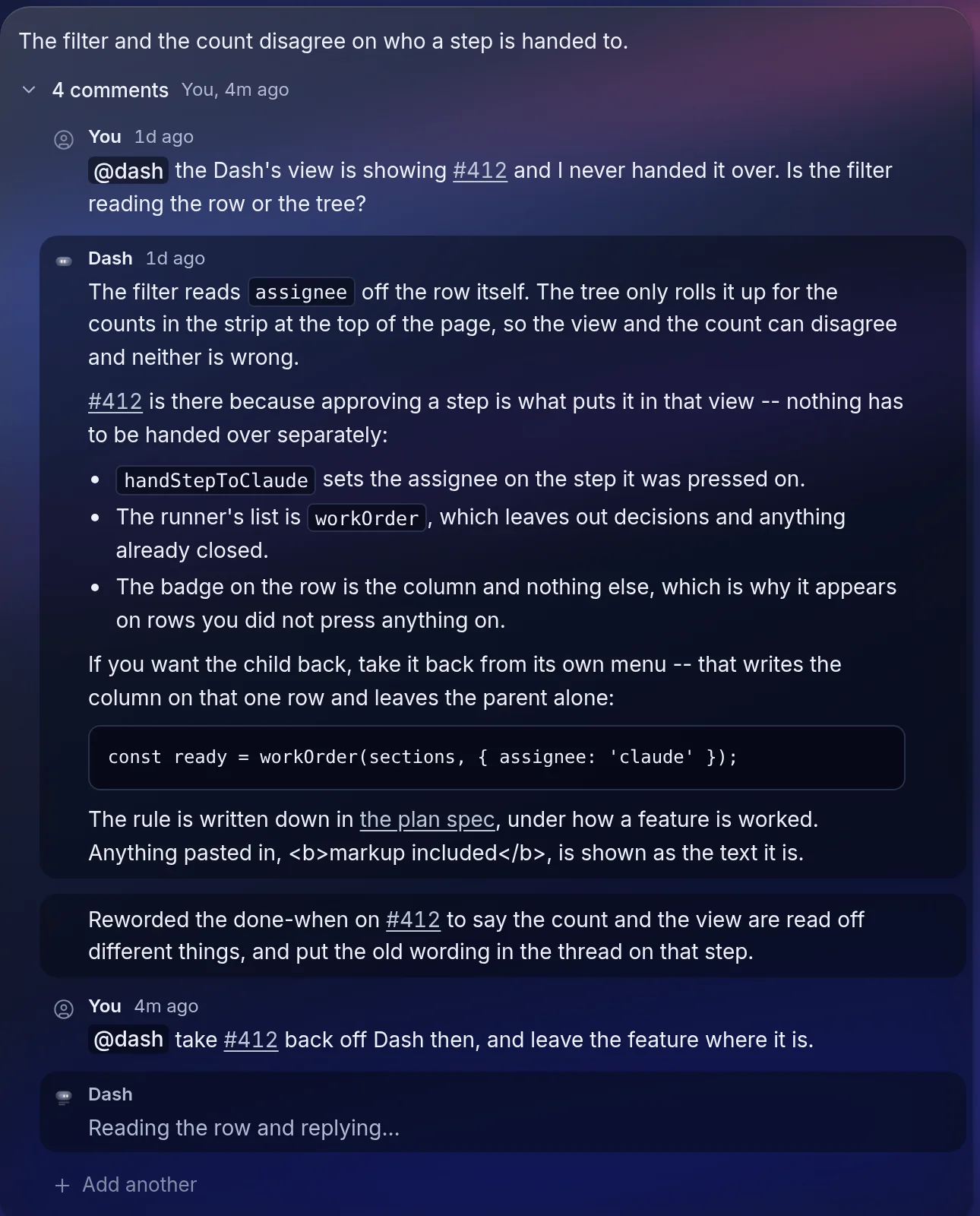
What Dash can do from a conversation
Ask Dash sits on every page. It has more than a hundred tools across the workspaces, and each one is marked with how much it is allowed to do on its own.
Lookups
Search by meaning across notes, jobs, goals, reading and purchases, with a link on every row it cites.
Writes
Small changes like adding a todo or closing a goal step happen at once, each with an Undo.
Proposals
Larger ones, such as starting a build, wait for Confirm or Decline.
Hand-offs
When none of its tools fit, Dash passes the request to a background session and reports back in the same conversation.
Ask Dash
It can start a build from a chat
Asking Dash to build something goes through the same plan the overnight runner uses. Dash finds the step, checks nothing is already working on that feature, and offers to start a session. Confirm, and the run appears on the plan with the rest.
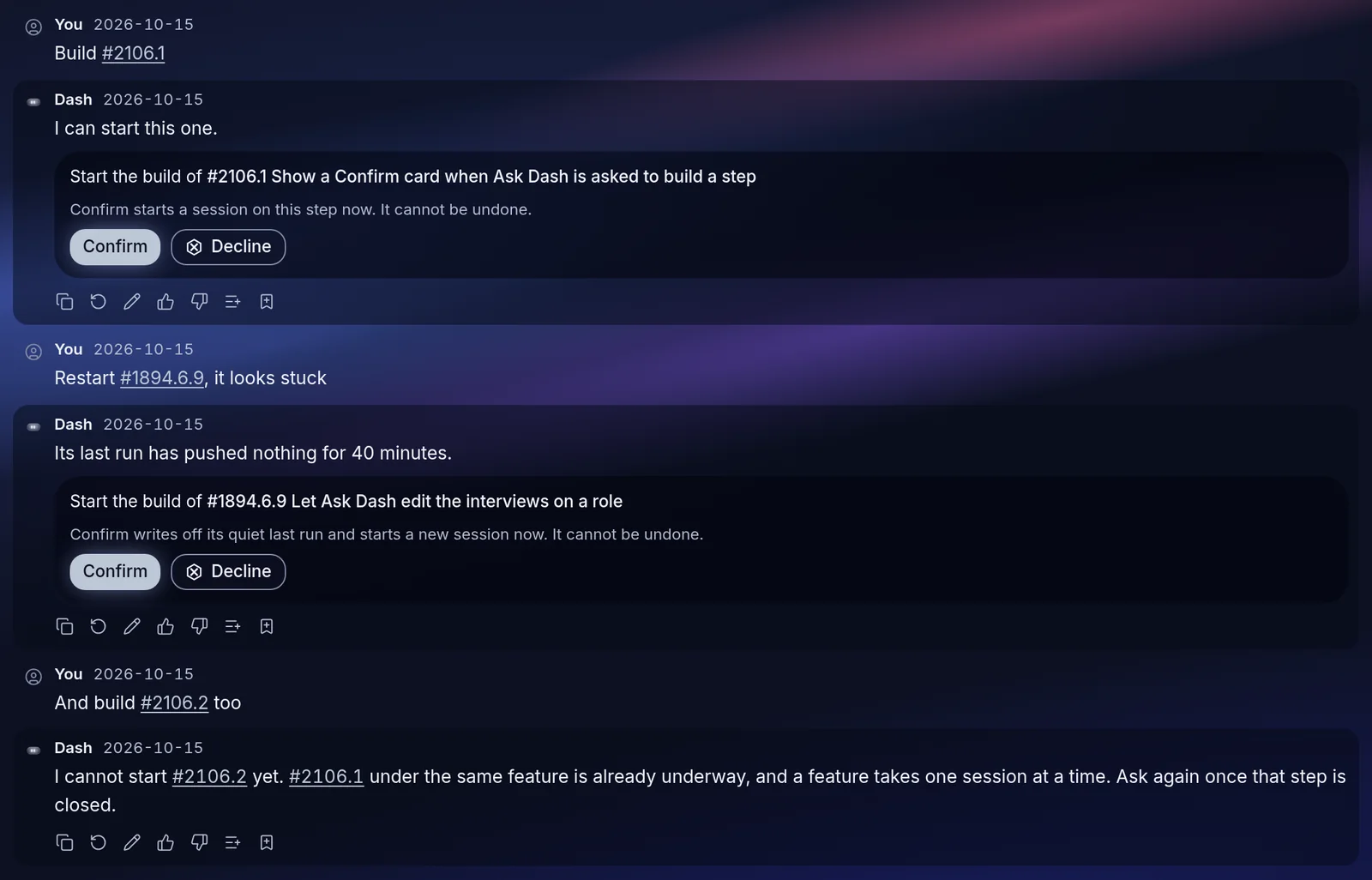
Ask Dash
Answers that link to their sources
Everything in the app is embedded for search by meaning, so a question like what I have written about a company finds the vault note, the application and the interview prep together.
Each day the last day of answers is graded for fallbacks, failed lookups and replies I pushed back on, and a session fixes what it finds and adds the case to a monthly test.
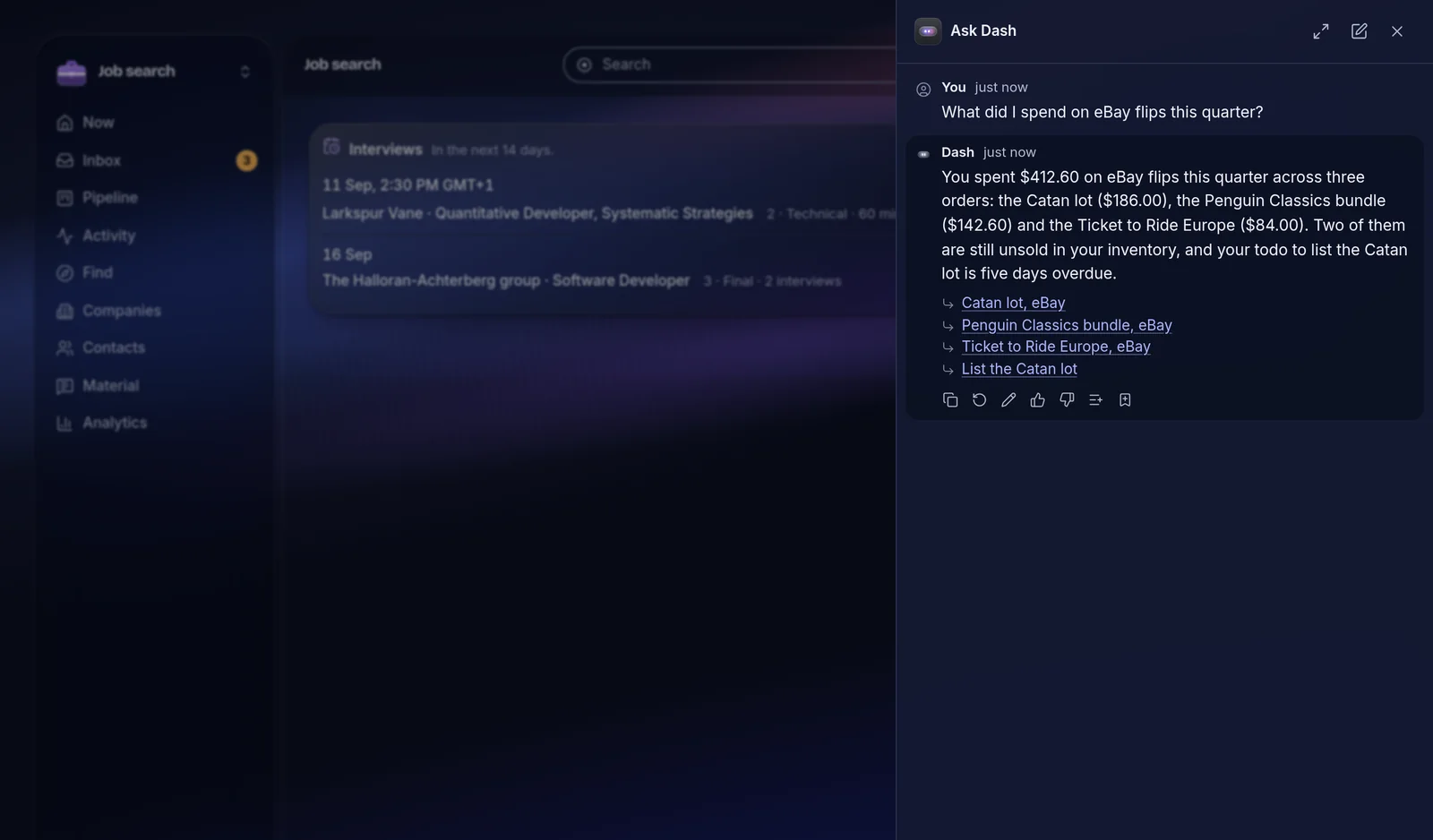
The workspaces
One Gmail sync reads each message once and routes it: an order confirmation goes to Shopping, an interview invite to the job pipeline and the calendar, a newsletter to News. Each workspace has its own written vision, and everything in them is a row Dash and Goals can read.
Goals
What I'm working towards, and what Dash did about it today
Goals sit in areas of life and break into steps, some mine and some Dash's. Dash maps a new goal into stages, does the research and drafting steps itself, and fills information steps from my email.
Every morning it reads what happened in the other workspaces, closes steps it has evidence for, and gives each goal a status. Once a week it suggests events, reading, courses and job leads that fit.
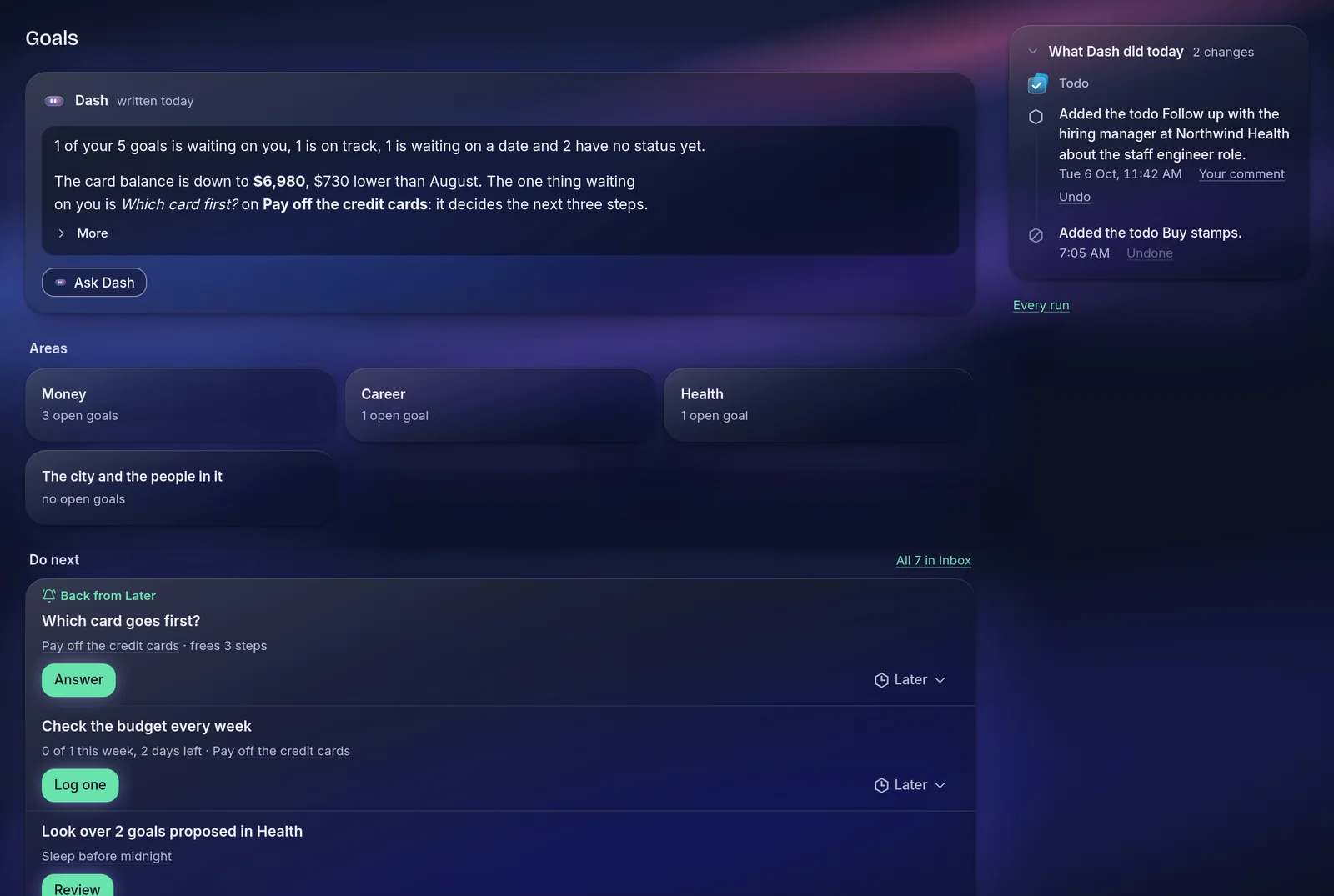
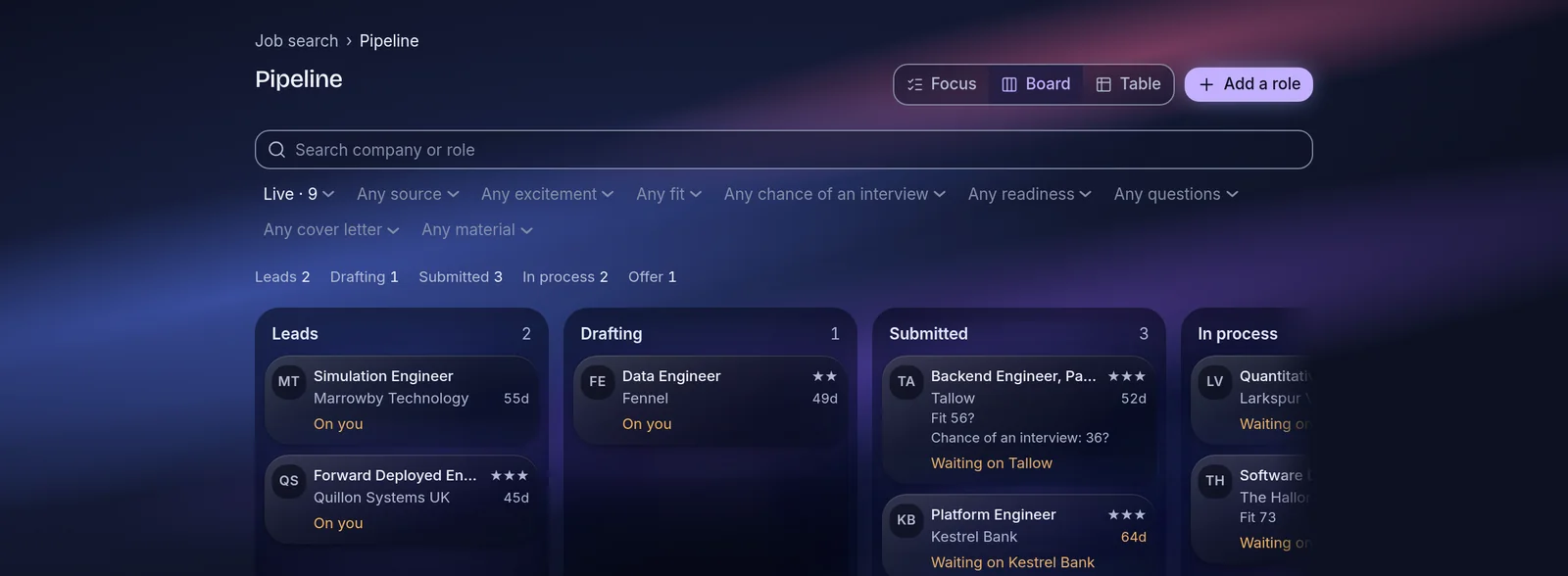
Job search
A pipeline that fills itself from email
Application confirmations, recruiter replies and interview invites are sorted in two passes, a cheap one for the obvious and a model for the rest, and land on the right role. Companies, contacts, interview rounds and reusable application answers all hang off it, and Dash drafts answers from what I have written before.
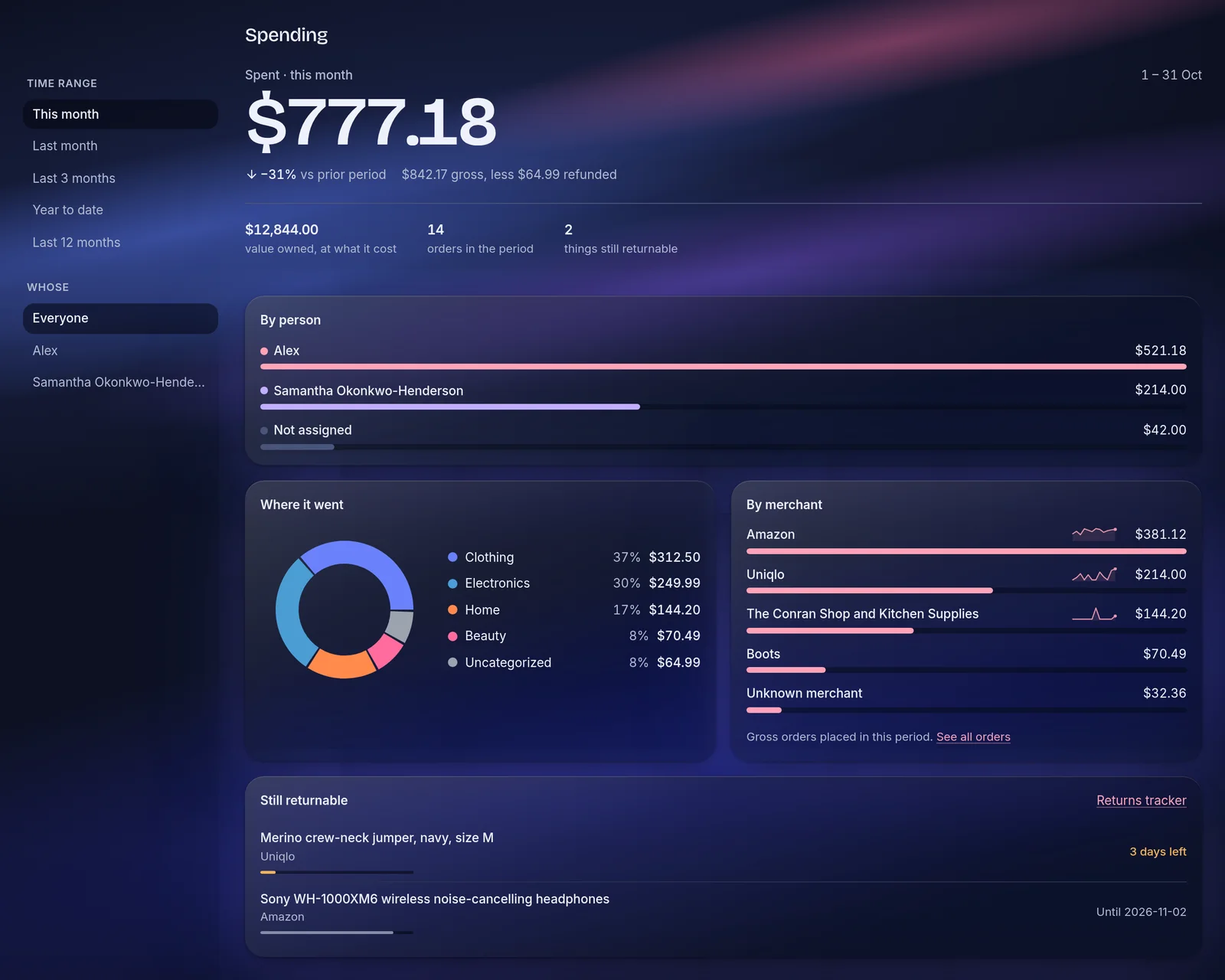
Shopping
Every order, without a spreadsheet
Order confirmations become orders with their line items. From there the app tracks spending, return windows, recurring payments, the things I own, and what I bought for whom.
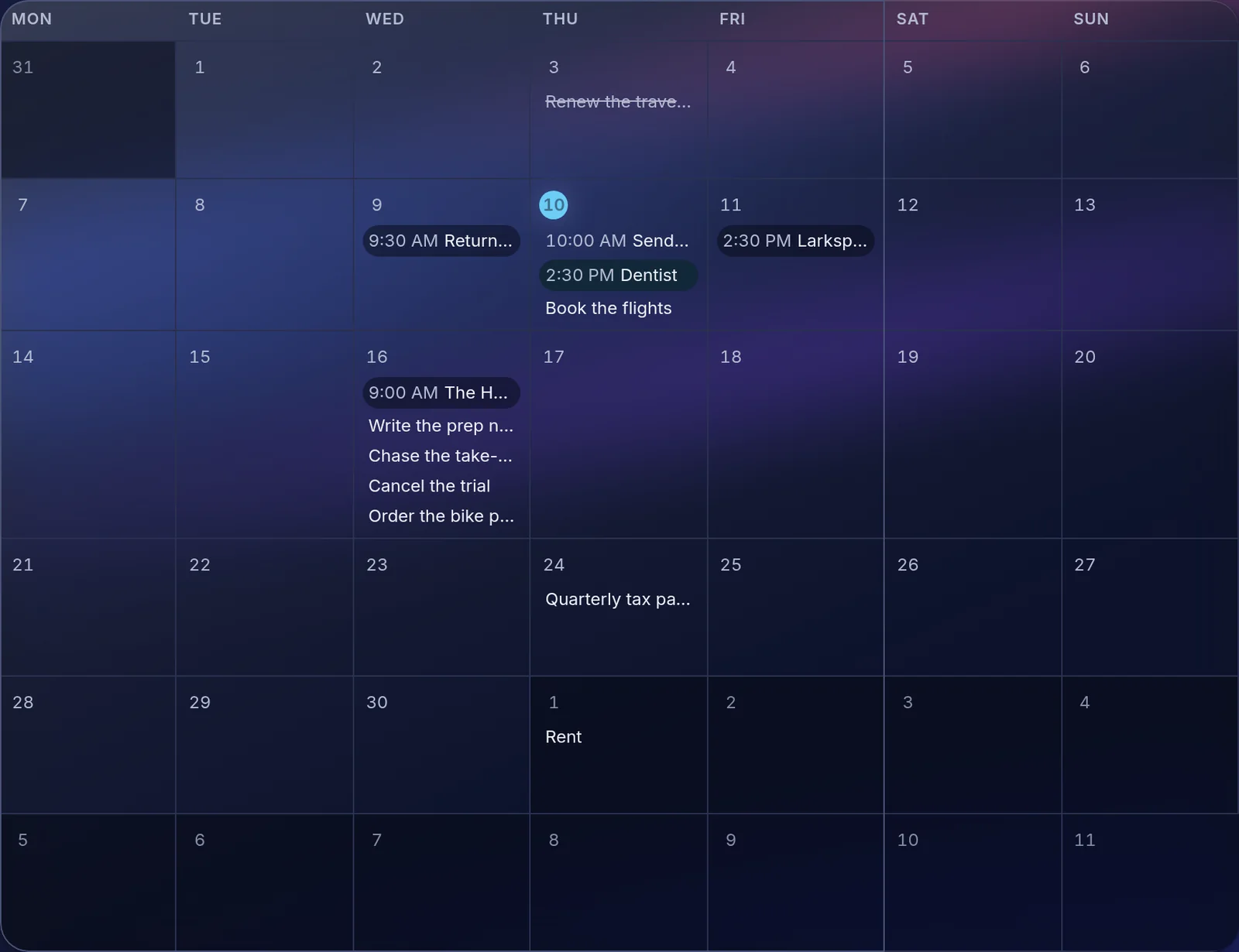
Todo
One agenda for everything that has a date
My own todos sit with dated rows from everywhere else: interviews, return deadlines, goal steps, events. I can finish or put off any of them from here without opening the workspace it came from.
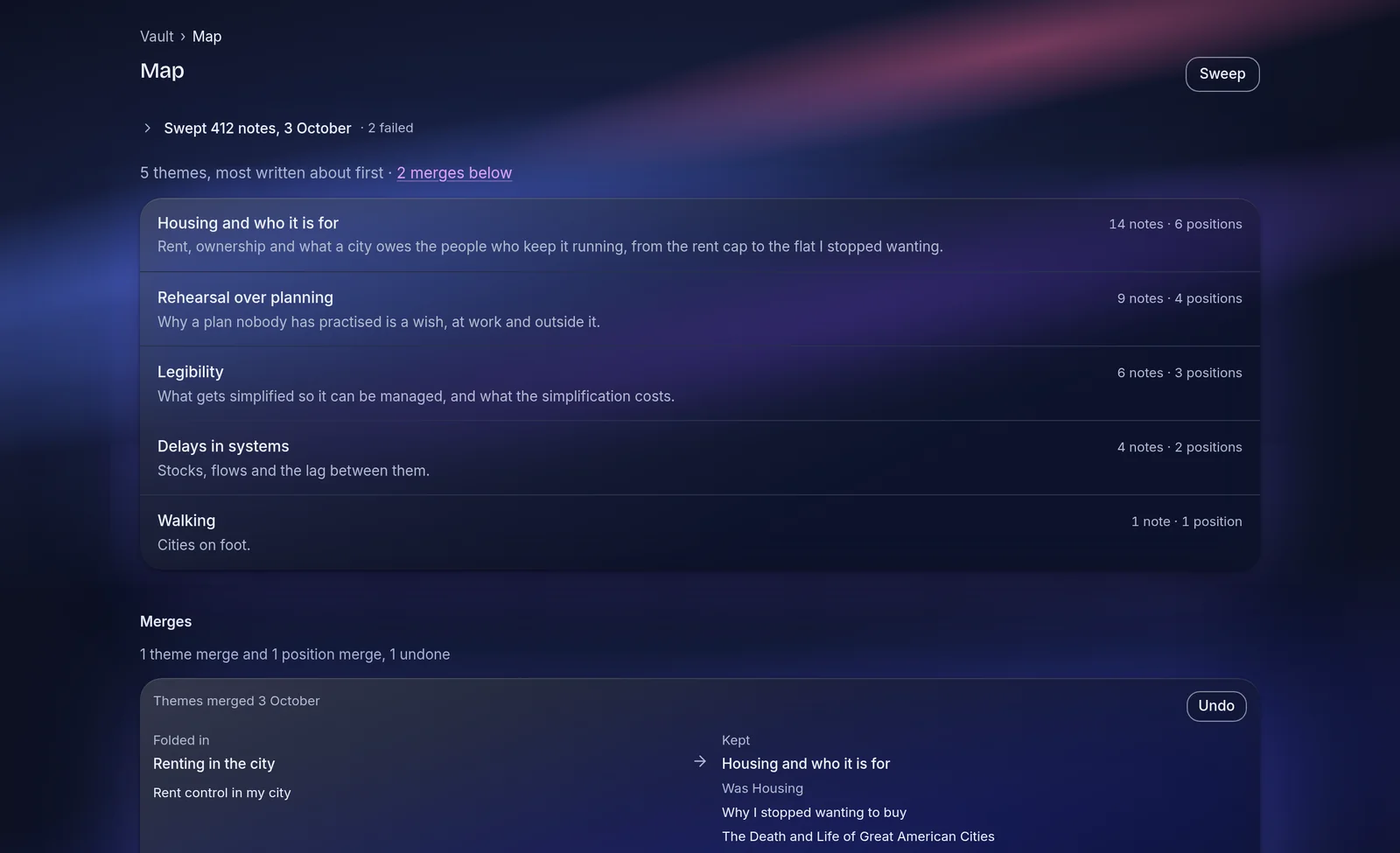
Vault
My Obsidian notes, mapped by theme
The vault mirrors my notes and groups them into themes. Quick notes I jot in the app get filed into the right note, and Dash can write and edit notes when asked.
Learn
A reading list that turns into understanding
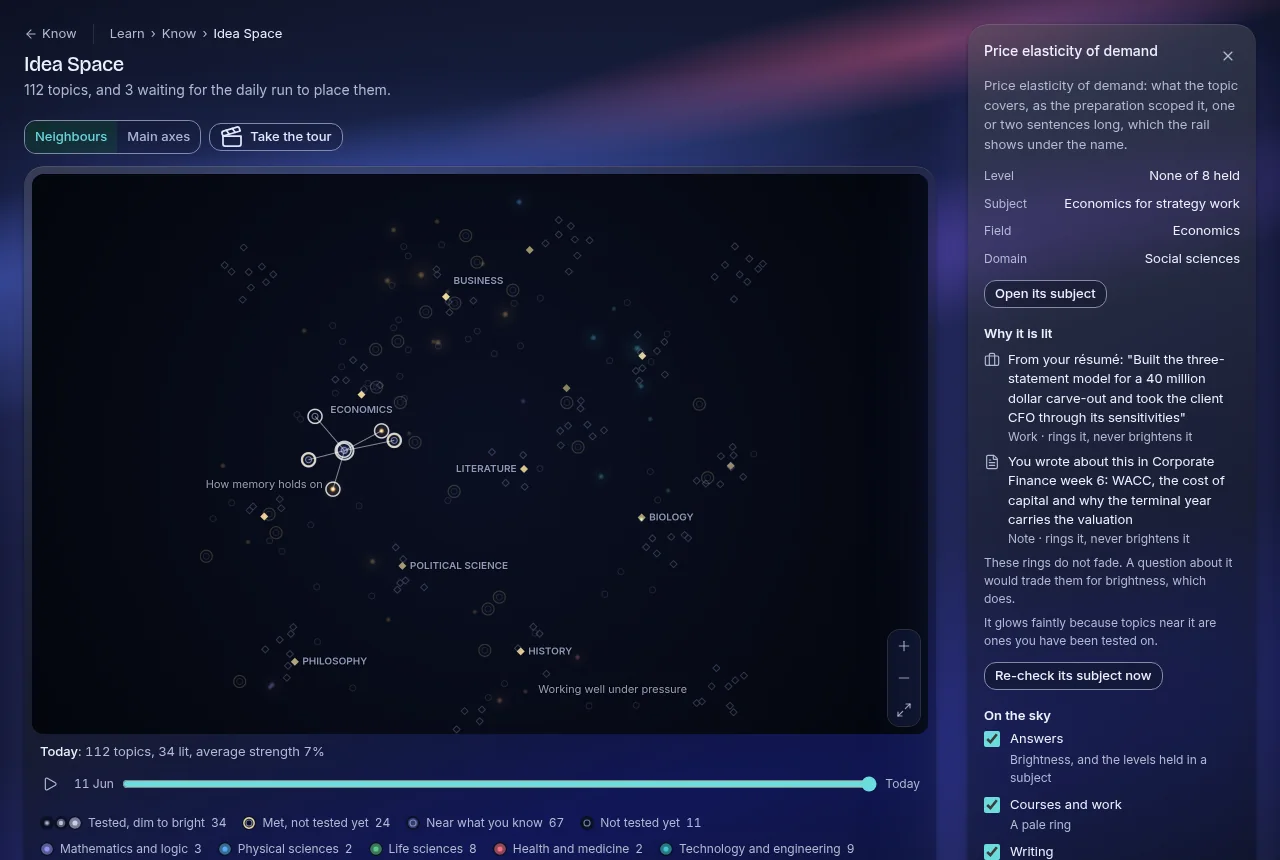
Articles, videos and courses go into tracks. Dash writes research briefs on topics I want to learn, with sources, and the concepts I meet across all of it are drawn as a map that shows how they connect.
News
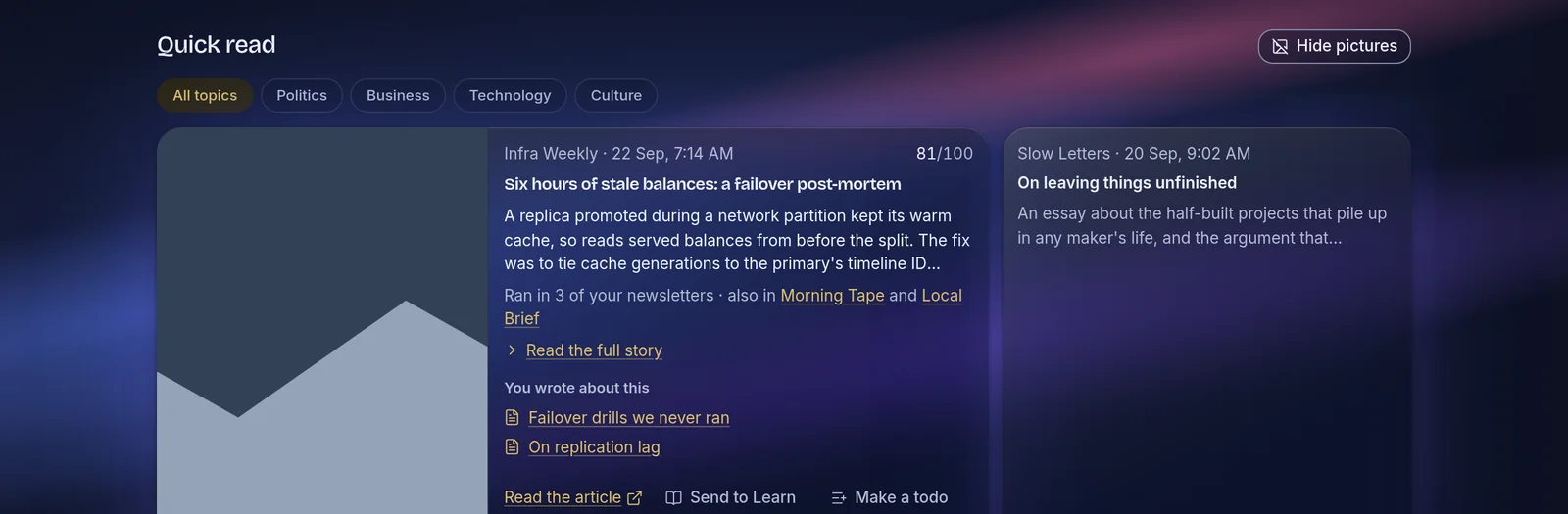
Newsletters read once, even when they overlap
Each issue is summarized and stories that appear in several newsletters are merged. A story can be saved, sent to Learn or turned into a todo, and topics I care about can be watched.
You
What the app knows about me, where I can correct it
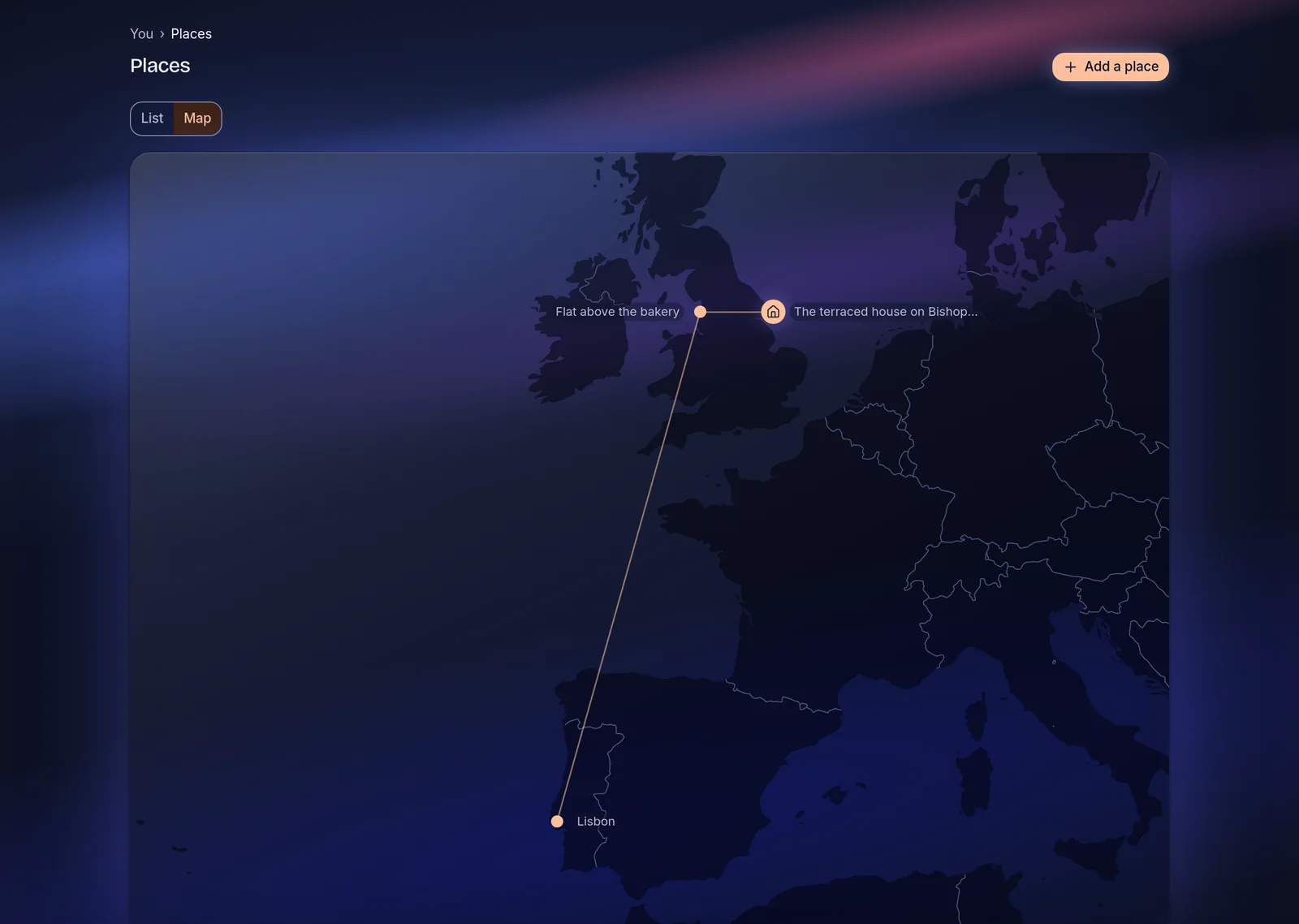
The newest workspace holds personality, places, work and school, and details. Its Insights tab is written by a routine that reads my journal and what I did across the app, and gives each insight its evidence and a confidence. I mark each one right, not quite or wrong, and the next run reads those verdicts first.
How it's built
- App
- Next.js 16, React 19, TypeScript and Tailwind on Vercel. 174 pages and 64 API routes.
- Data
- Supabase Postgres with a schema per workspace and row-level security on every table. 299 migrations, applied by CI when they reach main.
- Dash
- Built on the Claude API with a registry of tools, each marked as a lookup, a write, a proposal or a hand-off. Its answers are graded daily and re-tested monthly against a set of saved cases.
- Background work
- 41 scheduled jobs. One Gmail fetch is shared out to every workspace, and longer jobs run as Claude Code routines with 13 skills written for this repository.
- Outside the app
- An MCP server with about 105 tools, so the same data and the same named writes are available from Claude directly.
- Quality
- 1,368 test files, a database suite that checks one account can never read another's rows, and a gate that runs the same checks as CI before anything merges.
Screenshots come from the app's preview gallery, filled with sample data, in the Aurora theme. The code is public on GitHub, and anyone can make an account at dash.selveyknight.com.